
WhatsApp users are being warned about a growing scam campaign in which attackers use compromised accounts to send malicious files to people already saved in the victim’s contacts.
Cybersecurity firm Quick Heal Technologies recently warned that WhatsApp-based malware campaigns are evolving rapidly, with finance teams, senior executives, chartered accountants and business users among the key targets.
The scam is particularly difficult to identify because the messages may appear to come from someone the recipient already knows, such as a colleague, client, friend or business associate.
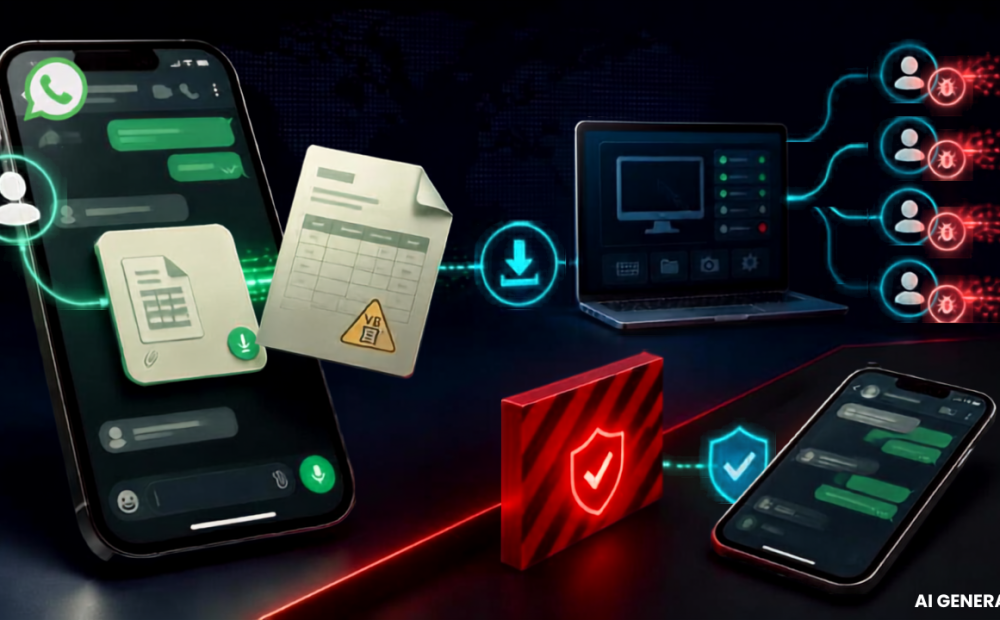
Once a WhatsApp account is compromised, attackers can use it to send malicious files to the account’s existing contacts. This can make recipients more likely to trust the message and open the attachment without verifying it.
How the scam works
A related WhatsApp malware campaign identified by cybersecurity firm Kaspersky involves attackers distributing malicious files disguised as routine business documents, including invoices, billing statements and payment notices.
The files may contain VBScript attachments. When opened, they can trigger a chain of malicious activity that downloads and executes additional components from remote servers.
In some cases, the infection can result in the installation of a remote access tool, potentially allowing attackers to gain control of the affected device.
The campaign has reportedly been observed in several countries, including India, Brazil, Mexico, Singapore, the UK, Spain, Taiwan, Australia, Russia, Vietnam and Malaysia.
How to stay safe
Security experts advise users not to assume that a WhatsApp attachment is safe simply because it comes from a known contact.
Before opening an unexpected file, users should independently contact the sender through another method and confirm that they actually sent it.
Users should also be especially cautious with script and executable file types such as VBS, EXE, BAT and JS.
If a message appears unusual, asks for urgent action or contains an unexpected document, it is safer to verify it first rather than opening the attachment.
With scammers increasingly exploiting trust between existing contacts, verifying unexpected files can be an important step in preventing a WhatsApp account compromise from spreading further.