
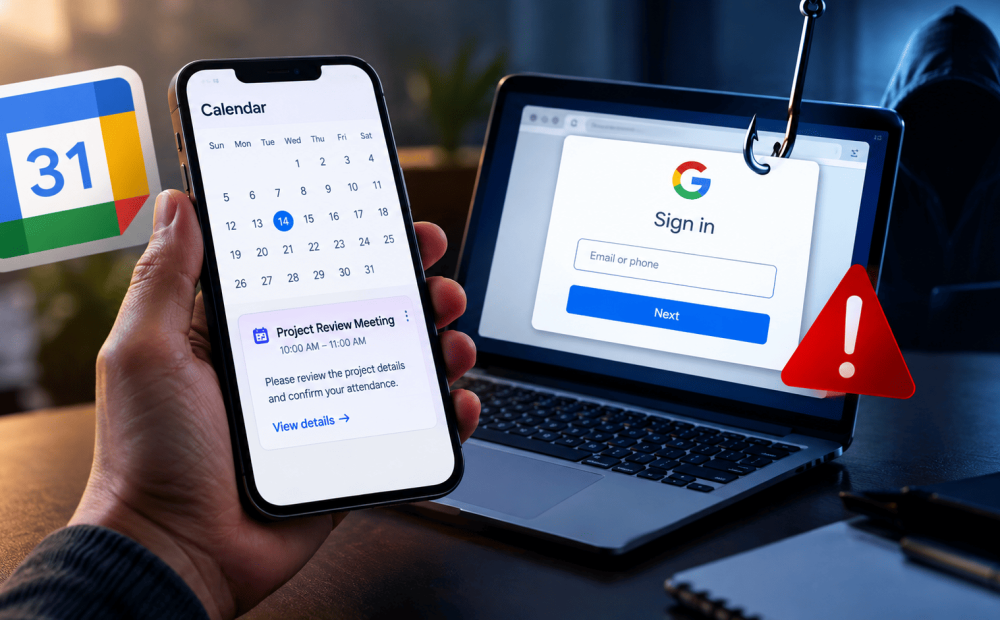
An unexpected meeting invitation or a reminder about a payment could be more than a simple calendar notification. Cybercriminals are increasingly exploiting digital calendars to trick users into revealing their passwords and sensitive information through a growing form of online fraud known as calendar phishing.
According to a report in The Guardian, cybersecurity experts have observed a sharp rise in such attacks, in which scammers use fake meeting invitations, voicemail alerts and subscription renewal reminders to direct victims to fraudulent websites or telephone numbers.
The scam often begins when an attacker sends a calendar invitation to a person’s work or personal email address. Depending on the user’s calendar settings, the event may appear automatically, even if the recipient has not opened or accepted the invitation. This makes the fraudulent entry appear alongside genuine appointments, giving it an added sense of credibility.
The invitations may carry subject lines such as payment confirmations, warnings about unusual PayPal activity, upcoming automatic payments or software renewals. Some even imitate internal company meetings or use familiar platform names and branding to appear legitimate.
Once users open the event, they may find a link directing them to a fake Google, Microsoft or PayPal login page. Others are urged to call a supposed customer support number to cancel a payment that was never made. Entering login credentials or sharing personal information can expose accounts to further misuse, including workplace email breaches and identity fraud.
Cybersecurity specialists warn that these invitations can be difficult to filter because scammers sometimes use legitimate services to distribute them. Blocking all invitations from such platforms could also prevent genuine meetings from reaching users.
Experts advise treating unexpected calendar entries with the same caution as suspicious emails. Users should avoid clicking unfamiliar links, calling numbers listed in questionable reminders or entering passwords on pages opened through unsolicited invitations.
Disabling automatic acceptance of calendar invitations and restricting entries to known senders can help reduce exposure. Suspicious events should be reported as spam or junk and deleted rather than interacted with unnecessarily.
The key warning is simple: an invitation appearing in your calendar does not automatically make it trustworthy.